

Specific functions
Electronic signature
The process aims to give you the ability to prove your prior art. It also helps you to defend your intellectual property with evidence. Both experiments and studies can be signed.
Please consult the dedicated signature documentation for more details.
Create multiple
Laby offers a solution for creating several experiments and tests at once. Right-click on a study or experiment and select “create multiple”.
Duplicate
This option is particularily interesting to save time when designing a retest, replicate or simply to perform tests similar to previous ones (like : formulations, biomarker screenings…).
From the menu  , select duplicate :
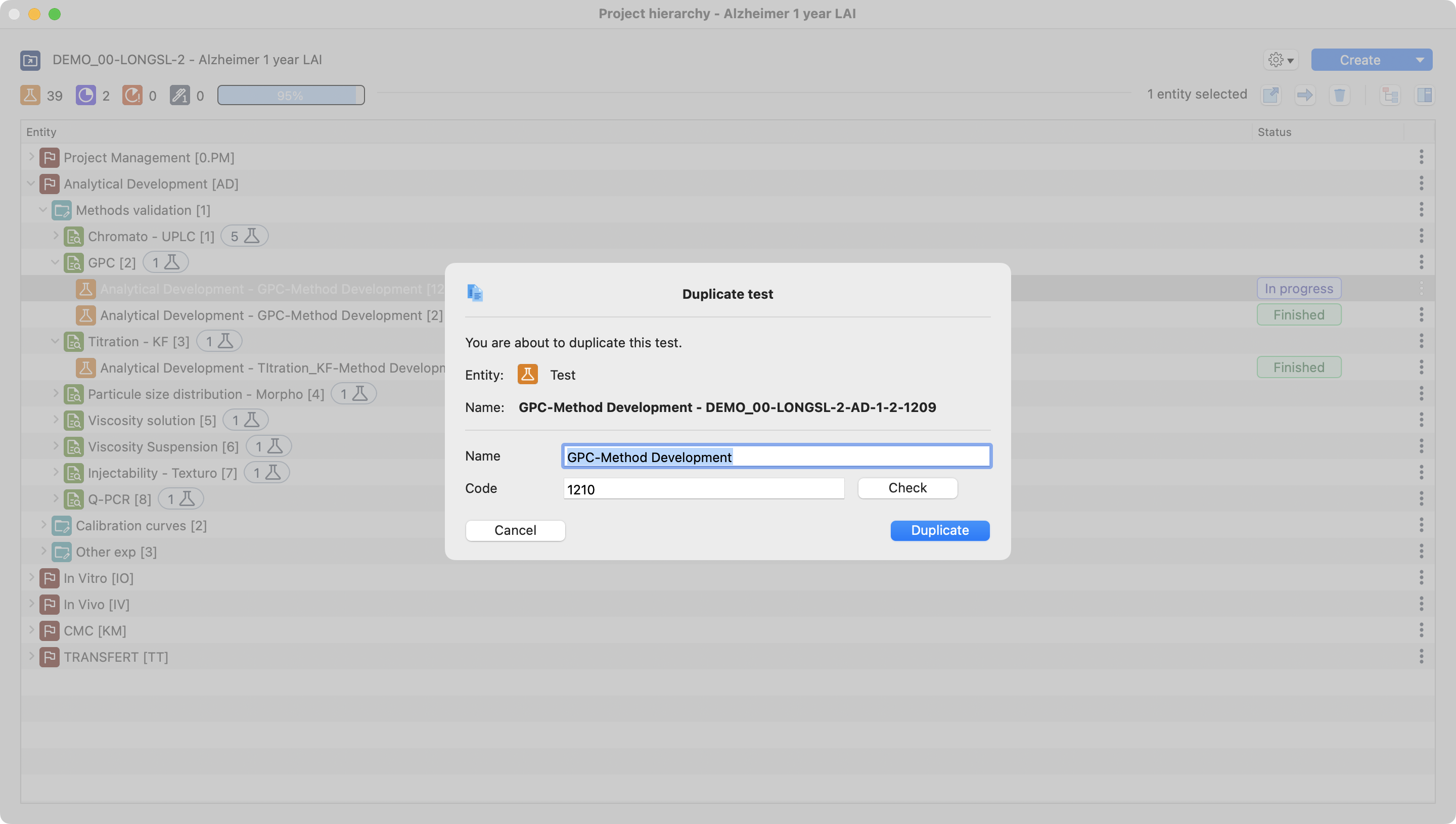
Screen displayed after select duplicate on a test.
Eventually, specify assignee, dates..
Select between :
Copy all : to copy and paste all the data
Warning
Template coming from both notebook template(s) configuration AND previous test will be copied.
Select entities to copy : here are the elements that can be copied from a test to a new one.
Existing notebook(s) + notebook template(s) / results table(s) + results table(s) template(s) / items / equipments
Note
In case of an equipement has been reserved on the original test, the equipement will be assigned without reservation on the newly created test.
Program browser parameters
In the project hierarchy window, click on the settings button (shown by settings image). Use it to customize your program browser. You can use the parameters to activate or deactivate the full codification visualization.
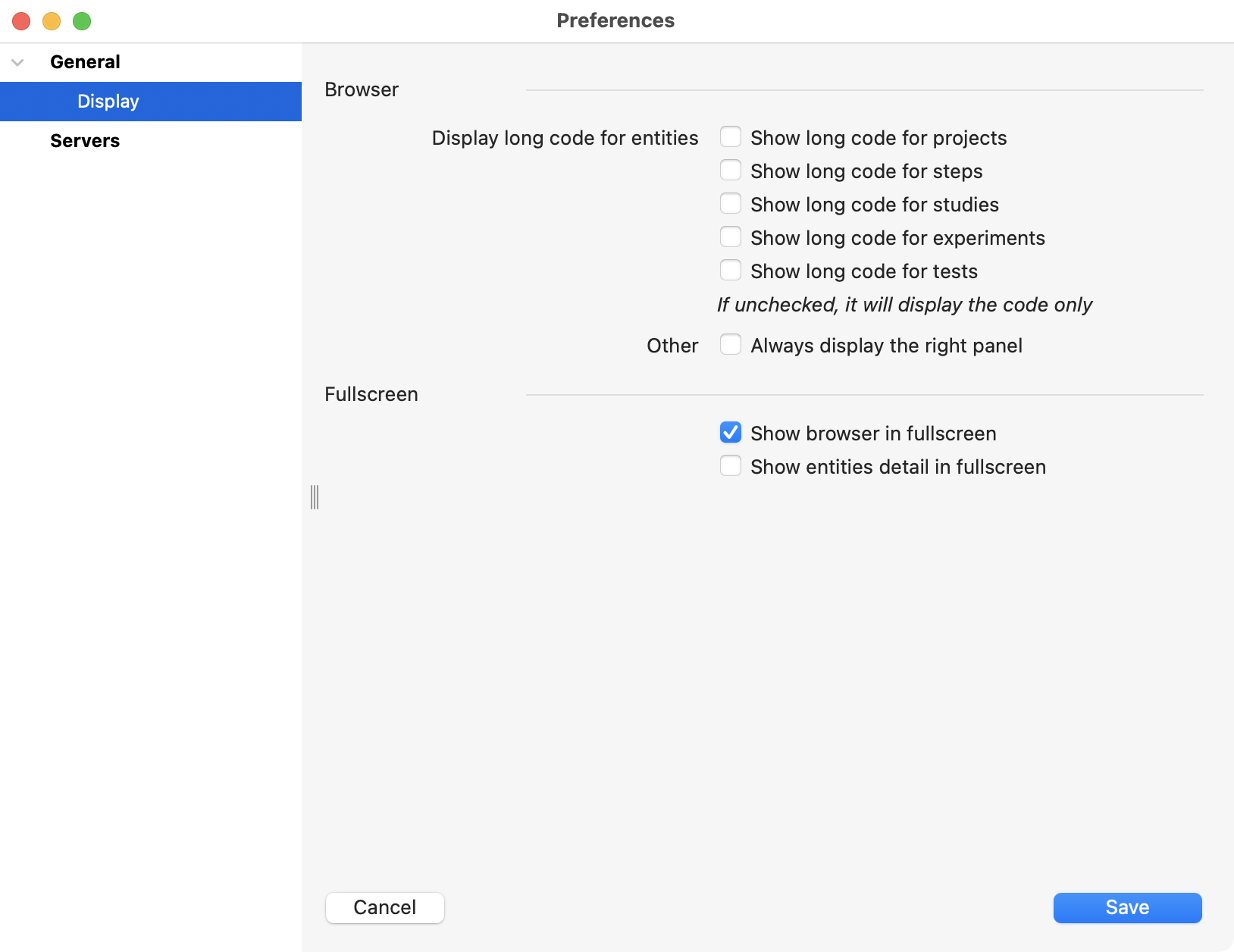
Display preferences view.